

Description
Download Video Info Viewer APK – Video Info Viewer, Android, Free, MPEG-4, Media Analysis, Video Metadata
Overview
Video Info Viewer is a free Android application developed by RoHo Mobile, designed to provide detailed insights into the internal structure of video files, particularly those using the MPEG-4 format. The app serves as a diagnostic and educational tool, enabling users to examine how video data is organized within a file. It is especially useful for individuals who need to analyze video metadata, such as resolution, frame rate, and encoding parameters, as well as the underlying data structure of MPEG-4 atoms.
Target users include video editors, media professionals, and developers working with digital video content. The app supports the inspection of video files for potential issues like missing audio or video tracks, which can be critical during post-production workflows or file troubleshooting. It allows users to understand the actual composition of their media files, aiding in format validation, compatibility checks, and technical diagnostics.
While the developer did not provide additional system requirements, the application is available as an APK for Android devices. Real-world usage scenarios include verifying file integrity before editing, validating export settings, and learning about the technical aspects of video storage. The tool is ideal for users who require transparency into their media files beyond what standard media players display.
Key Features & Capabilities
- Video Metadata Extraction – Displays essential details such as resolution, frame rate, duration, codec, and bit rate, providing a comprehensive overview of the video’s technical profile.
- MPEG-4 Atom Structure Viewer – Offers a detailed breakdown of the individual atoms within an MPEG-4 file, helping users understand how data is segmented and stored.
- Track Integrity Checker – Scans files for missing or corrupted audio, video, or subtitle tracks, which is valuable for identifying issues before processing.
- File Structure Analysis – Enables users to explore the hierarchical organization of data within the file, supporting deeper technical understanding of media containers.
- Free and Accessible – Available at no cost as an APK, making it accessible to users who need a lightweight tool for media diagnostics without financial commitment.
These capabilities are particularly beneficial in professional environments where precise file validation is required. For example, a video editor can use the app to confirm that a delivered file contains both audio and video streams before importing it into a timeline. Developers can leverage the atom-level inspection to debug encoding issues or validate output from custom tools. The app’s focus on transparency and technical detail makes it a valuable asset for anyone working with digital video files on Android.
User Interface, Workflow & Performance
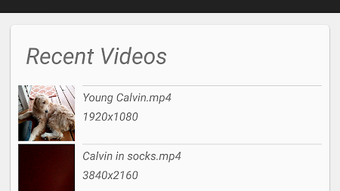
The user interface of Video Info Viewer is designed to present technical data in a structured and readable format. Navigation is straightforward, allowing users to select a video file from their device’s storage and instantly view its metadata and file structure. The app likely uses a hierarchical or tab-based layout to organize information, such as separate sections for general metadata, track details, and atom-level data.
Workflow efficiency is optimized for quick analysis, with minimal steps required to load and inspect a file. The app does not require complex setup or configuration, making it suitable for both technical and non-technical users seeking basic insights. However, the developer did not specify resource usage details, so performance behavior under heavy file loads or on low-end devices remains unknown.
Stability and responsiveness are expected to be consistent with standard Android applications, but exact performance metrics were not provided. General software behavior patterns suggest the app operates efficiently on modern Android devices, though users on older hardware may experience delays with large video files. The app’s lightweight nature supports smooth operation, but specific CPU or RAM consumption data is unavailable.
Compatibility & System Requirements
Video Info Viewer is designed for Android devices and is distributed as an APK file. The developer did not specify the minimum Android version required, nor did they list exact hardware requirements. As such, compatibility information is limited to the platform level.
Installation size is not specified, but APKs of similar utility apps typically range from 10 MB to 50 MB depending on included features and libraries. Users should ensure their device supports APK installation from external sources, which is a standard setting in most Android systems.
Exact system requirements were not listed, and no information was provided about support for specific Android versions, screen resolutions, or device types. Therefore, users should proceed with caution when installing on older or less common devices. The app may function on a wide range of Android smartphones and tablets, but this has not been officially confirmed.
Pros and Cons
Pros
- Free to download and use, eliminating cost barriers for technical users.
- Provides in-depth analysis of MPEG-4 file structure and metadata.
- Supports detection of missing or corrupted video/audio tracks.
- Designed for technical users, including video editors and developers.
- Lightweight and focused on a specific niche with no unnecessary features.
Cons
- No official support for iOS or other platforms.
- Limited information on system requirements and compatibility.
- Requires APK installation, which may deter non-technical users.
- May not support all video formats beyond MPEG-4.
- Limited user interface polish compared to mainstream media tools.
FAQ Section
Is Video Info Viewer available for iOS?
Currently, the app is only available for Android devices as an APK file. There is no official version for iOS.
Is the app safe to download and install?
As a free app from RoHo Mobile, it is distributed via APK, which means users should ensure they download from a trusted source. The developer did not provide security certifications, so caution is advised when installing from third-party platforms.
Does the app require an internet connection?
No, Video Info Viewer operates entirely offline. All analysis is performed locally on the device, ensuring privacy and no data transmission.
How often are updates released?
Update frequency was not specified by the developer. Users should check the distribution source regularly for new versions.
What types of video files does it support?
The app is optimized for MPEG-4 format files. Support for other formats may be limited or unavailable, as the tool focuses on the internal structure of MPEG-4 containers.
Final Thoughts
Video Info Viewer stands out as a specialized, free tool for users who need to inspect the technical makeup of video files. Its ability to decode MPEG-4 atom structures and verify track integrity makes it a practical asset for video professionals and developers. While it lacks broad platform support and detailed system requirements, its focused functionality delivers value where it matters most.
For anyone working with video content on Android—especially those involved in editing, encoding, or troubleshooting—this app offers a level of transparency not found in standard media players. It bridges the gap between casual viewing and technical analysis, making it a must-have for media-savvy users.
Download Video Info Viewer now
Guides & Tutorials for Video Info Viewer APK
How to install Video Info Viewer APK
- Click the Preview / Download button above.
- Once redirected, accept the terms and click Install.
- Wait for the Video Info Viewer APK download to finish on your device.
How to use Video Info Viewer APK
This software is primarily used for its core features described above. Open the app after installation to explore its capabilities.
User Reviews for Video Info Viewer APK 0
No reviews found





